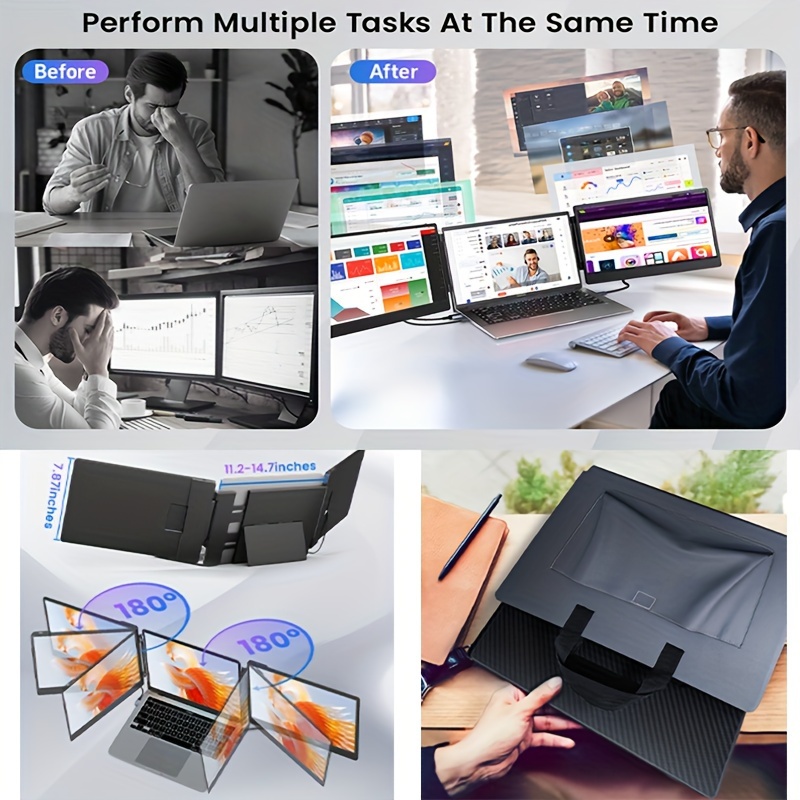
Laptop Screen Extender, 14" FHD 1080P IPS Laptop Monitor Extender Triple Screen, Portable Monitor for Laptops 13-16.5" with USB-C Port, Plug&Play for Windows/Mac/Android/Switch/PS5

Laptop Screen Extender, 14" FHD 1080P IPS Laptop Monitor Extender Triple Screen, Portable Monitor for Laptops 13-16.5" with USB-C Port, Plug&Play for Windows/Mac/Android/Switch/PS5

SKU: 601099666113375-14inch-1080P-2P
$245.99
$334.99

SPECIFICATIONS


Battery Properties: Without Battery


Color Gamut Name: Ntsc

Display Feature: Swivel adjustment

Display Technology: Lcd

Does It Include A Screen?: Yes

Item ID: WF308894

Monitor Resolution: Fhd1080i

Operating Voltage: ≤36V

Power Mode: USB

Screen Resolution: 1920x1080

Screen Size: 14Inch

Screen Surface: Flat


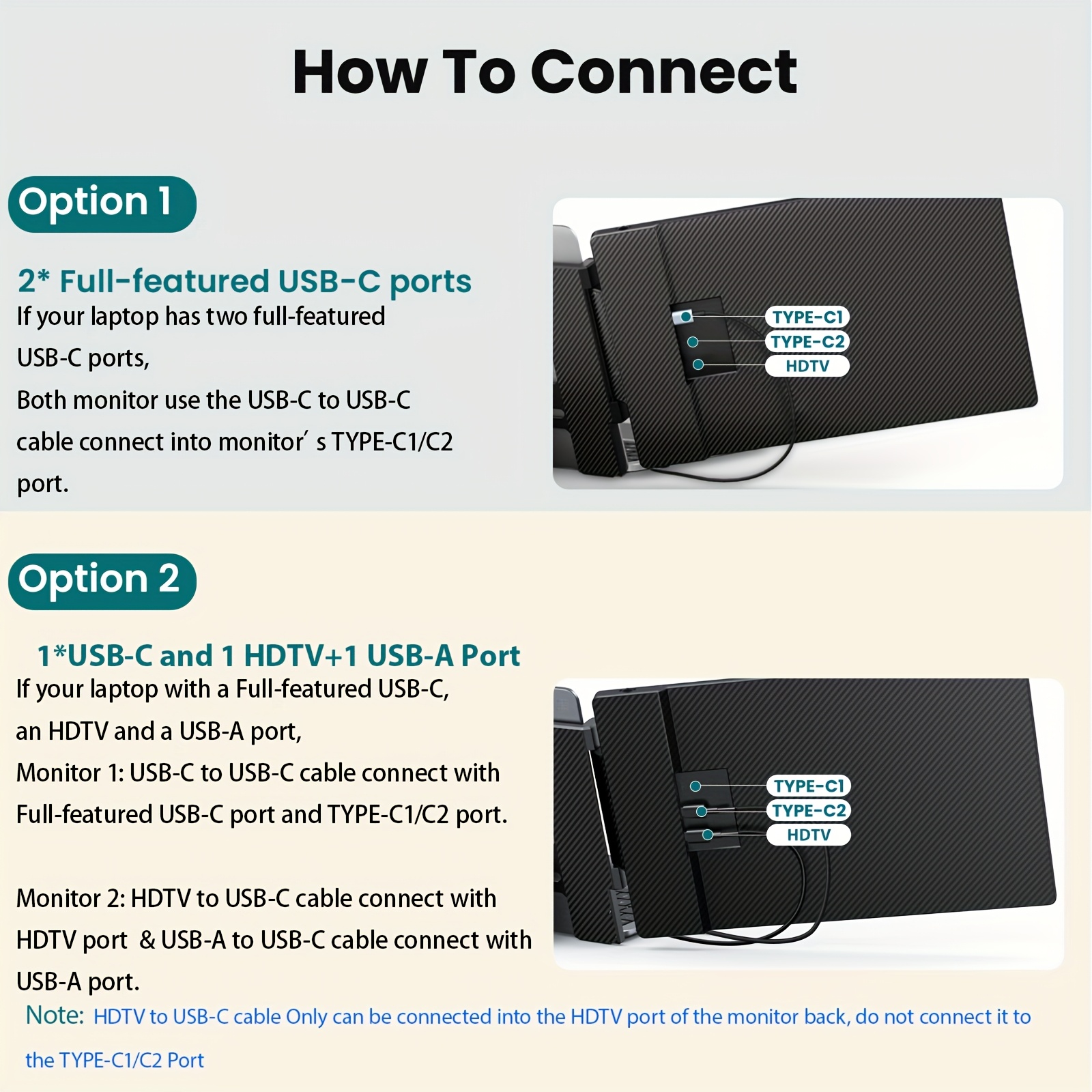
Please check if your laptop's USB-C port if its Full-featured USB-C ports (like: Thunderbolt3/4, USB-C with DisplayPort)

Two Cables connection method:
Cable1, Use an HDTV to USB-C cable for video, HDTV end plug into laptop's HDTV port and USB-C end connecting it to the bottom HDTV port of the monitor.
Use a USB-A to USB-C cable for power, USB-A end plug into laptop's USB-A port and USB-C end connecting it to the TYPE-C1/C2 port of the monitor.

One Cable connection method:
Plug a USB-C to C cable into the Full-featured USB-C port on your laptop.Connect the other end to the TYPE-C1/C2 port of the monitor (for both video and power).
Note: Keep this setup for normal use. Plug your laptop's power cable into the top Type-C1 port on the back of the monitor. This will charge your laptop while using the USB-C to C connection for the monitor.